When you're sourcing solar lighting for remote highways, industrial parks, or off-grid municipal projects, the conversation eventually turns to IoT capability. But most of what you find online — generic smart lighting overviews written for facilities managers, or grid-tied IoT vendors repurposing their content with "solar" added as an afterthought — doesn't help you decide whether IoT is worth the per-node cost premium, which communication protocol your project actually needs, or what to verify during a factory audit to ensure the controller won't become a maintenance liability two years into deployment.
This guide approaches iot solar lighting from the sourcing and specification perspective. We manufacture IoT-enabled solar lighting in-house with configurable controller logic and support OEM/ODM dashboard integration, so the questions we answer here are the ones buyers actually ask during technical review: protocol tradeoffs, firmware update models, field serviceability, and factory capability validation.
What IoT Solar Lighting Means in Procurement Context
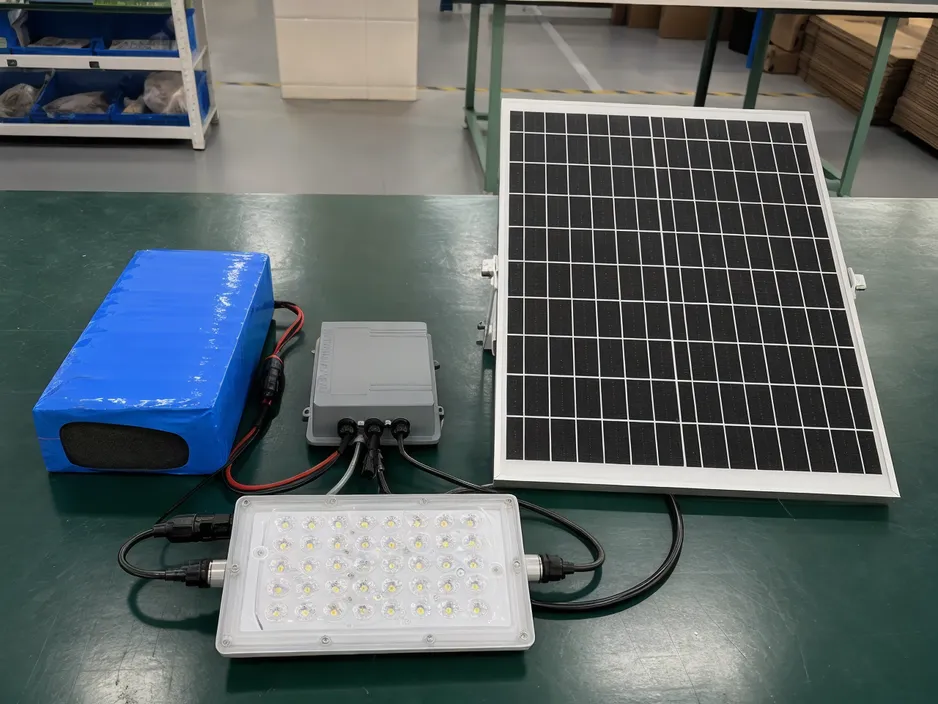
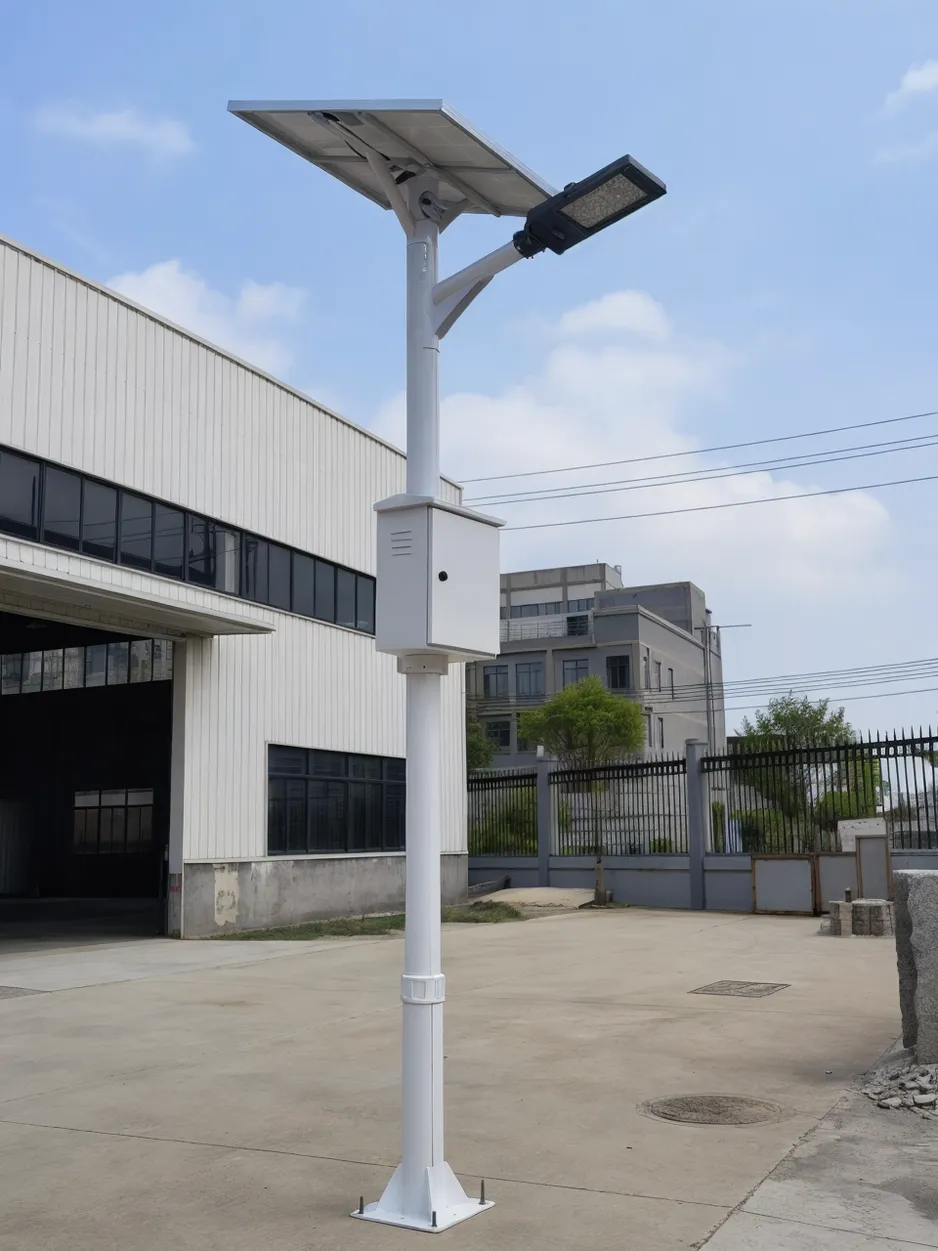
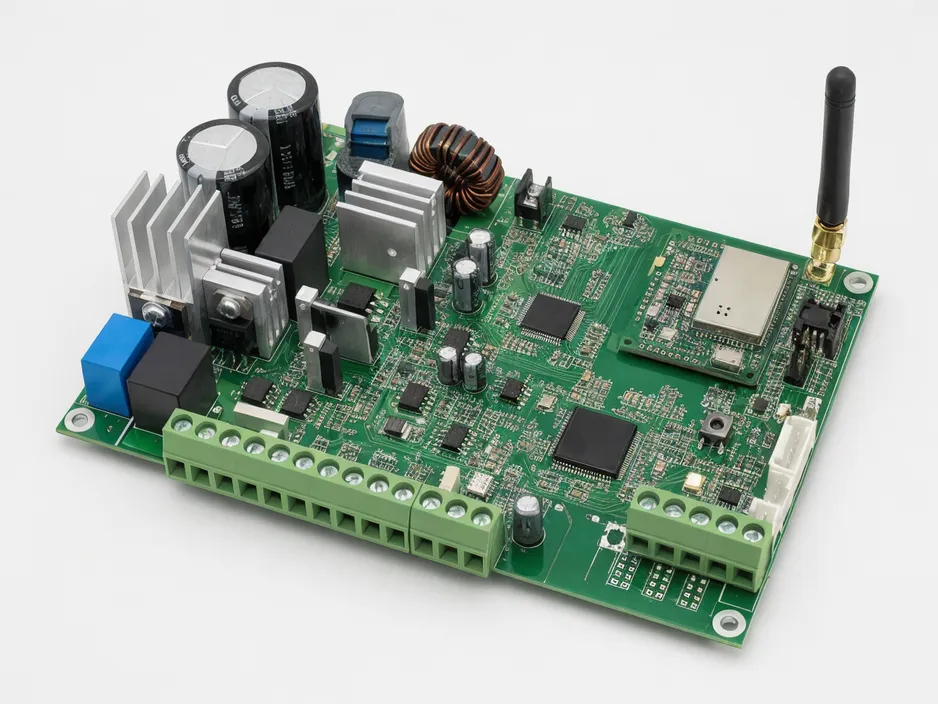
Iot solar lighting is outdoor solar lighting with an embedded controller that enables remote monitoring, adaptive dimming based on real-time sensor input, and centralized parameter adjustment via wireless communication. The hardware architecture adds one layer to standalone solar lighting: solar panel + battery + LED driver + IoT controller module. That controller integrates sensor data (motion detection, ambient light level, battery state of charge), processes dimming logic locally, and communicates status via a wireless transceiver — typically NB-IoT, LoRa, or Zigbee.
This is different from grid-tied smart lighting in two ways. First, there's no mains power fallback, so the IoT controller's own power consumption affects battery runtime. Second, battery management becomes part of the IoT logic — the controller needs to adjust dimming schedules dynamically based on state of charge and weather forecast data (if available via cloud sync), not just follow a pre-programmed curve.
It's also different from standalone solar lighting, which uses pre-programmed dimming schedules burned into firmware at the factory and has no communication layer. Standalone units work fine for predictable applications (residential pathway lighting, garden accent lights), but they can't report failures, can't be reconfigured remotely, and can't adapt dimming logic based on actual traffic patterns or battery condition.
The procurement framing is this: IoT is a controller capability manufactured into the lighting fixture, not a brand feature applied afterward by a reseller. When you evaluate smart solar lighting systems, you're evaluating the factory's controller implementation — whether they manufacture the controller in-house or integrate a third-party module, whether the firmware supports open protocols or locks you into a proprietary dashboard, and whether the controller has been validated under the same environmental stress (temperature cycling, moisture ingress, vibration) as the rest of the fixture.
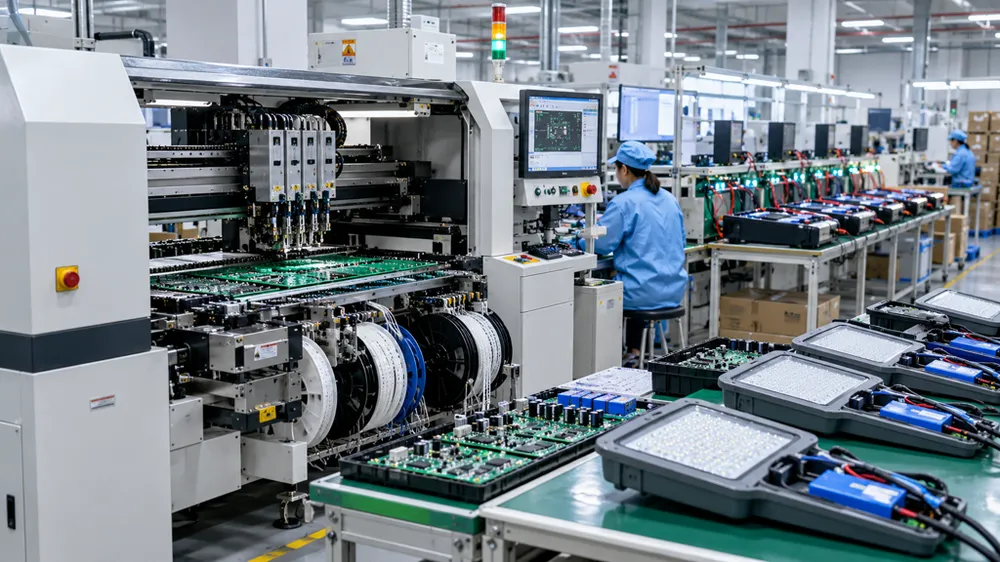
We build IoT controllers in-house using our own PCB assembly line. That gives you two practical advantages: custom sensor threshold configuration is possible in MOQ 100-500 range (most third-party controller vendors require 5,000+ units for firmware changes), and troubleshooting is faster because our electrical engineers wrote the firmware and can diagnose failure modes without escalating to a component supplier.

Communication Protocol Selection and Tradeoffs
The solar lighting control system you specify will use one of three dominant wireless protocols: NB-IoT (narrowband cellular), LoRa (long-range radio), or Zigbee (mesh network). Each has a different cost structure and deployment constraint, so protocol selection needs to match your project footprint and infrastructure budget.
NB-IoT uses existing cellular networks. Each node needs a SIM card ($2-5/year recurring cost), but coverage is wide — anywhere with 4G LTE coverage works. This makes NB-IoT the default choice for sparse remote deployments: highway lighting over 50+ km stretches, rural industrial sites, offshore wind farm perimeter lighting. The controller connects directly to the cloud dashboard via the carrier network, so you don't need to install any gateway hardware. The tradeoff is recurring SIM cost scales linearly with node count (1,000 nodes = $2,000-5,000/year in connectivity fees), and you're dependent on carrier coverage stability.
LoRa uses license-free radio spectrum and requires you to install gateway devices. A single LoRa gateway covers 10-15 km radius in open terrain (less in urban environments with buildings), and each gateway can handle 500-1,000 nodes. For a 300-node campus lighting project, you'd install 1-2 gateways ($800-1,500 per gateway) and pay no recurring SIM fees. The controller hardware cost is similar to NB-IoT ($15-25 per node), but the total cost of ownership favors LoRa once you exceed 200-300 nodes in a concentrated area. The constraint is you need line-of-sight or near-line-of-sight from nodes to gateway, and gateway placement becomes part of your infrastructure planning.
Zigbee creates a mesh network where each node relays data to nearby nodes until it reaches a coordinator connected to your network. This works well for dense urban streetlight deployments where fixtures are 30-50 meters apart and you already have wired network infrastructure at one end of the street. Zigbee hardware is the cheapest ($10-18 per node), power consumption is lowest (important for battery runtime), but effective range per hop is 100-300 meters. If node spacing exceeds 300 meters, or if there are coverage gaps (a park or plaza interrupting the streetlight line), the mesh breaks and you lose connectivity to downstream nodes.
The procurement decision comes down to project density and infrastructure availability. For connected solar street lights in a remote highway project with nodes spaced 80 meters apart over 20 km, NB-IoT is the only practical choice. For a university campus with 400 solar pathway lights in a 2 km² area, LoRa gives you lower total cost and no carrier dependency. For an urban retrofit adding solar lighting to an existing streetlight network with 40-meter pole spacing, Zigbee integrates cleanly.
One sourcing risk to verify: does the controller use proprietary protocol implementation or open standards? Some vendors ship "LoRa" controllers that only work with their own gateway firmware, or "Zigbee" controllers that use non-standard data formats. During technical review, ask the factory whether their controller firmware supports standard MQTT or CoAP data formats. If the answer is vague or they redirect to "our dashboard handles everything," you're looking at vendor lock-in — you won't be able to switch dashboard providers or integrate the lighting data into your own building management system later.
We offer multi-protocol controller options because different projects have different constraints. The controller hardware is the same PCB; we configure the wireless module and firmware during production based on your order specification. That also means if you're deploying in phases — starting with 200 nodes now and adding 400 more next year — we can ship both batches with the same controller logic and protocol configuration, so your dashboard doesn't need to handle mixed firmware versions.
Controller Configurability and Firmware Update Model
When a factory says their iot solar lighting controller is "configurable," they mean different things. The practical question is: what parameters can you adjust after installation, and who controls the firmware update process?
The parameters that matter for field operation are dimming schedule (what time does the light drop to 50% output?), motion sensitivity thresholds (how much movement triggers full brightness, and for how long?), battery discharge protection levels (at what state of charge does the controller stop drawing power to preserve battery lifespan?), and data reporting frequency (does the controller report status every 10 minutes or once per day?).
In a well-designed system, you adjust these via the dashboard without touching the fixture. That's table stakes. The differentiation is whether those adjustments are menu-driven (you pick from pre-defined profiles) or parameter-driven (you input actual numeric values). Menu-driven configuration is simpler but limits optimization — if your project needs 35% dimming during low-traffic hours but the menu only offers 30% or 50%, you're stuck. Parameter-driven configuration gives you precise control but requires technical literacy. Know which model your procurement team or field contractor can handle before you commit to a controller architecture.
Firmware updates are a separate risk layer. There are two models: over-the-air (OTA) via the communication protocol, or physical connection required (USB port or debug header on the controller PCB). OTA is operationally convenient — you can push a bug fix or feature update to 500 nodes from the dashboard — but it introduces two risks. First, a failed OTA update can brick the controller, and if that happens to 50 nodes simultaneously because they all tried to update during the same network maintenance window, you have 50 dark fixtures. Second, OTA capability means someone else (the factory, the dashboard vendor, or a bad actor who compromises the update server) can also push firmware to your nodes. You need to verify whether OTA updates require your explicit approval or happen automatically.
The alternative — firmware updates require physical connection — eliminates remote brick risk but makes updates expensive. If you discover a controller bug that causes premature battery drain, and fixing it requires sending a technician with a laptop to each of 300 nodes, that's 300 truck rolls. For projects in accessible locations (parking lots, campuses), this might be tolerable. For highway or offshore projects, it's not.
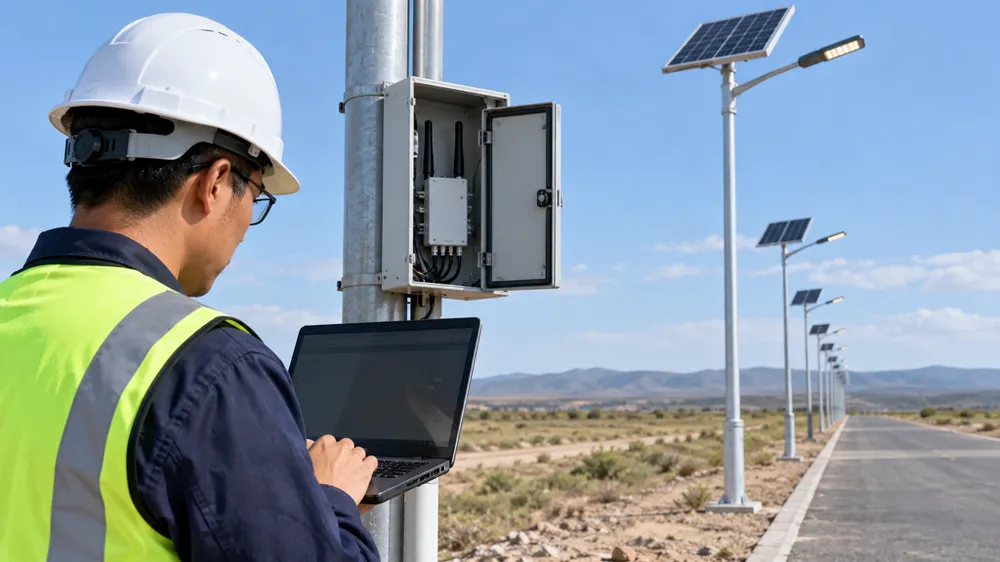
Field serviceability is the third angle. When a controller fails, can your local electrician diagnose the failure mode? We use a diagnostic LED sequence on the controller PCB — three quick blinks means sensor fault, five slow blinks means communication timeout, continuous dim means battery protection mode engaged. Those patterns are documented in the technical manual, and your field crew can identify the problem without factory support. If the controller uses a smartphone app for diagnostics, that's fine as long as the app doesn't require factory login credentials. If the only way to troubleshoot is to ship the fixture back to the factory, your operational cost just went up.
For OEM/ODM buyers who want smart solar lighting systems under their own brand, controller configurability extends to firmware source code access. If you're placing a 5,000-unit order and want to integrate the lighting system into your proprietary building management platform, you'll need either the controller firmware source code or a well-documented API for dashboard integration. We provide both options depending on order volume and IP agreement structure. Below 1,000 units, we offer API integration (your backend pulls data from our MQTT broker). Above 2,000 units, we negotiate firmware source code transfer, and you own the final integrated firmware after development cost settlement.
We configure controller logic during production, not after. That means custom dimming curves, sensor thresholds, and reporting intervals are part of your order specification. If you're testing the system before full deployment, order 10-20 sample units with adjustable parameters, finalize your settings during field trials, then lock those settings as production defaults for the remaining order. That avoids the scenario where 500 units arrive with factory-default settings and your team spends two weeks reprogramming each one via dashboard.
Remote Monitoring Value Proposition for Off-Grid Infrastructure
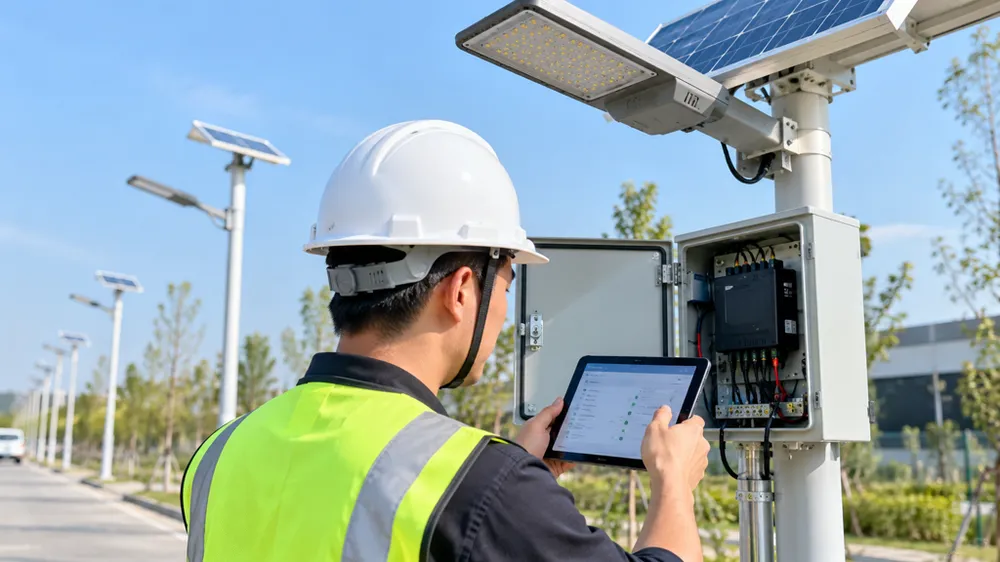
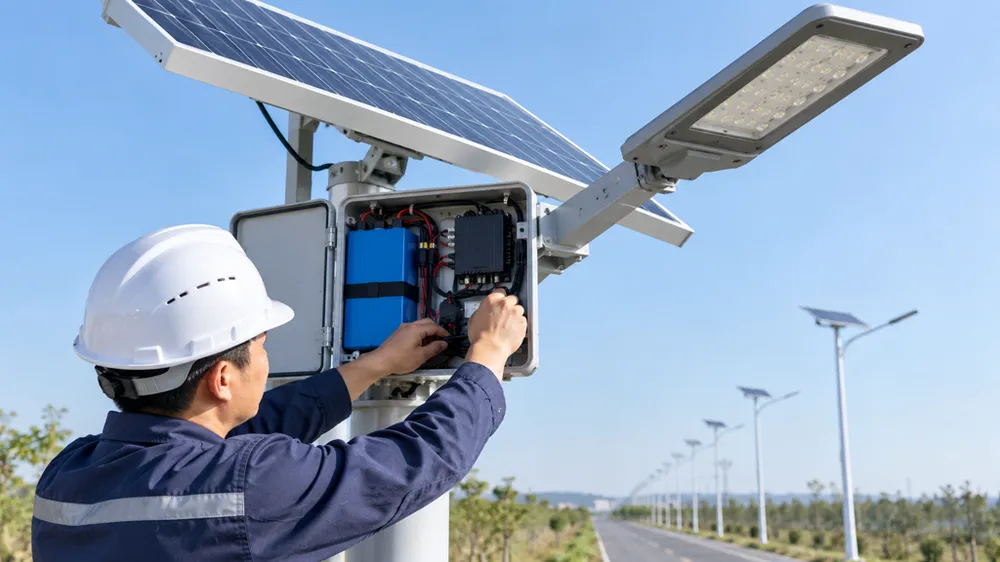
The operational value of solar lighting with remote monitoring is preemptive maintenance. Instead of quarterly field inspections where a crew drives to each site to check battery voltage and lumen output, the dashboard alerts you when a specific node's state of charge trend indicates the battery is degrading, or when actual lumen output drops below target (LED module failure or dirt accumulation on the lens). You replace the failing component before the fixture goes dark, and you only send the truck to sites that need service.
The cost-benefit calculation depends on project size and accessibility. For a 100-node remote highway project where each inspection trip costs $500 in vehicle time and crew wages, avoiding three inspection cycles per year saves $1,500/year. If the IoT controller adds $20 per node ($2,000 total) and NB-IoT connectivity costs $3/node/year ($300/year), your payback period is 18 months. After that, you're saving $1,200/year in operational cost.
For projects where accessibility is high — urban sidewalks with daily foot traffic, parking lots with on-site maintenance staff — the remote monitoring premium is harder to justify. If someone walks past the fixture every day and would notice when it fails, and if sending a technician costs $50 instead of $500, you're not avoiding enough truck rolls to recoup the IoT hardware cost. This is why connected solar street lights make sense for highways, industrial perimeters, and offshore facilities, but not for every solar lighting application.
The dashboard data granularity matters. When you evaluate a factory's IoT system, request sample dashboard screenshots showing actual data, not marketing mockups. You want to see battery voltage trend over 30 days (is it declining linearly, or holding stable?), daily energy harvest (did yesterday's cloudy weather reduce solar input enough to trigger dimming?), and fault history log (when did the motion sensor last trigger, and did the light respond?). If the dashboard only shows green/yellow/red status icons without underlying numeric data, you can't do preemptive analysis — you're just getting failure notifications after the fact, which is less useful.
One operational pattern we see with buyers who've deployed 500+ IoT solar lighting nodes: they set alert thresholds conservatively at first (alert if battery SOC drops below 40%), then adjust based on actual field data after six months. The initial threshold catches real problems but also generates false positives (a string of cloudy days triggers alerts even though the battery recovers once sun returns). After you see the seasonal SOC variation in your deployment location, you tune the threshold to 30% or 25%, and alert frequency drops to genuine issues only.
ROI breakeven for remote monitoring typically lands at 18-24 months for projects above 100 nodes in hard-to-access locations. Below 50 nodes, or in high-accessibility locations, standalone solar lighting without IoT is often the better economic choice. The middle zone — 50-100 nodes in moderate-accessibility locations — depends on your labor cost structure and risk tolerance for undetected failures.
Factory Capability Verification for IoT Solar Lighting
When you audit a factory or evaluate samples for iot solar lighting, verify four capability layers that separate manufacturers who build IoT controllers from resellers who integrate third-party modules.
Controller manufacturing: Does the factory assemble the controller PCB in-house, or do they buy pre-assembled modules from a component supplier? In-house PCB assembly means faster firmware customization (your custom sensor threshold request doesn't require escalation to an external vendor) and better troubleshooting (their electrical engineers can examine failed controllers under a microscope and identify whether the failure was a cold solder joint, a moisture ingress point, or a firmware logic error). If they're integrating third-party modules, customization lead time extends by 4-8 weeks, and root cause analysis for field failures often ends with "the module vendor says it's a firmware issue" without resolution.
Ask to see the SMT line where controller boards are assembled. If the factory redirects you to a different building or says "our partner handles that," you're not looking at in-house manufacturing. We assemble controller PCBs on the same production floor as the LED modules and battery packs, so the assembly technicians who handle one component understand how it integrates with the others. That matters when you're diagnosing an intermittent failure that only happens when battery SOC drops below 20% and ambient temperature exceeds 35°C — the kind of multi-variable issue that requires cross-component knowledge.
Communication protocol testing: Does the factory have live gateway or base station equipment for protocol validation, or do they ship controllers with untested firmware? For LoRa systems, this means a physical gateway device on the production floor that controllers connect to during final inspection. For NB-IoT, it means live SIM cards and a test dashboard that receives data during QC. For Zigbee, it means a mesh network coordinator and at least three nodes forming a test mesh.
During factory audit, ask to see a controller connect to the network in real time. If they can't demonstrate live connectivity — if they show you a photo of a dashboard or a video from last month — the testing protocol is weak. We run every IoT-enabled fixture through a 30-minute live connectivity test before packing. The controller connects to our test gateway, reports sensor data, receives a dimming command from the dashboard, and confirms execution. If any step fails, the unit goes to rework.
Environmental stress testing: Does the factory validate IoT controller performance under the same environmental conditions as the rest of the fixture? The controller generates heat during transmission (NB-IoT transmission draws 200-500mA for 2-5 seconds per message), and that heat stays trapped inside the fixture housing. If the housing is IP67-rated and sealed tight, and the fixture is installed in a 40°C ambient environment, internal temperature can reach 60-70°C. The controller needs to function reliably at that temperature, and the wireless transmission needs to succeed without corruption.
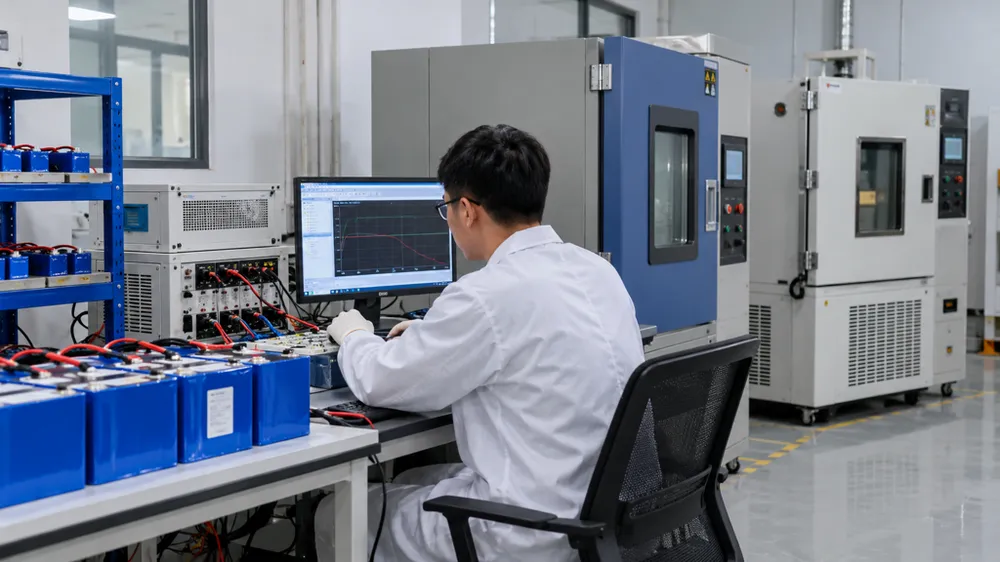
Standard IP testing — submerge the fixture in water for 30 minutes — doesn't validate controller performance under temperature stress. Ask whether the factory does temperature cycling with active communication: put the fixture in an environmental chamber, cycle between -20°C and +60°C, and verify that the controller transmits data successfully at both extremes. We run this test on sample units from each production batch (10 units per 500-unit order). If a controller fails to transmit at high temperature, we investigate whether it's a firmware issue (transmission timeout too short) or a hardware issue (inadequate heat dissipation around the wireless module), and we correct it before shipping the batch.
Battery-controller integration testing: Does the factory test the controller's battery management logic under different state-of-charge scenarios? The controller's job is to balance light output with battery preservation — dim too aggressively and you waste available capacity, dim too conservatively and you risk battery over-discharge. That logic needs to be validated with actual battery packs under real charge/discharge curves, not simulated with a benchtop power supply.
We use a battery simulator that mimics SOC behavior under different weather patterns (three consecutive cloudy days, one sunny day followed by two rainy days) and verifies that the controller adjusts dimming schedules correctly. For example, if the battery is at 60% SOC at sunset, the controller should run full brightness for the first four hours, then dim to 40% for the remaining night. If the battery is at 35% SOC at sunset (because of cloudy weather), the controller should start dimming earlier — full brightness for two hours, then 40% for the rest of the night — to avoid dropping below the 20% protection threshold. If the factory can't demonstrate this adaptive dimming logic during audit, the controller is using fixed schedules regardless of battery condition, which defeats half the value of IoT.
Red flags during factory audit: the factory claims "IoT-ready" but all controller assembly is outsourced, they can't demonstrate live dashboard connectivity, environmental testing is limited to IP rating without thermal stress, or they can't explain how the controller adjusts dimming based on battery SOC. Green flags: in-house PCB assembly with visible SMT line, live gateway equipment on the production floor, environmental chamber with temperature cycling test records, and battery simulator setup with documented test protocols.
OEM/ODM Integration Workflow for Branded IoT Solar Lighting
If you're a distributor or project developer who wants smart solar lighting systems under your own brand with custom dashboard integration, the OEM/ODM workflow has three decision points: data format, hosting model, and IP ownership.
Data format determines how the controller communicates with your backend. The standard approach is MQTT (message queue protocol) or CoAP (constrained application protocol), both of which are open standards supported by most IoT platforms. Your backend subscribes to a specific MQTT topic (e.g., your-brand/node-id/status), and the controller publishes JSON-formatted messages containing battery voltage, lumen output, sensor state, and timestamp. You parse those messages in your own code and store the data however you want — SQL database, time-series database, or cloud storage.
The alternative is a proprietary API where the factory provides a REST endpoint and you poll for data. This works but introduces latency (you're fetching data on your schedule, not receiving it in real time) and dependency (if the factory's API server goes down, you lose data until it recovers). MQTT/CoAP is better because the controller pushes data directly to your broker, and you control uptime.
During OEM/ODM negotiation, specify the exact MQTT topic structure and JSON schema you need. If you're integrating solar lighting data into an existing building management system that already handles HVAC and access control data, you probably have a schema template. Provide that to the factory, and they configure the controller firmware to publish in your format. The earlier you finalize the schema, the faster the integration moves — if you change the schema after the first production batch ships, you'll need a firmware update for all deployed nodes.
Hosting model is whether the dashboard runs on factory infrastructure or yours. Factory-hosted is faster to deploy (they give you a white-label web portal with your logo and domain, and you start using it immediately), but you don't control the backend. If the factory shuts down or stops supporting the product line, your dashboard stops working. Buyer-hosted gives you full control — the lighting data flows to your own server, and you build (or contract someone to build) the dashboard UI — but requires more upfront development.
The hybrid model we use most often: the factory provides an MQTT broker and sample dashboard code (Python Flask or Node.js), you deploy that code on your own server, and you own the runtime. That gives you control without requiring you to build the data ingestion layer from scratch. For orders above 1,000 units, we include the sample dashboard code at no additional cost. Below 1,000 units, we charge a one-time integration fee ($1,200-2,000 depending on customization complexity).
One cost structure to clarify during negotiation: does the factory charge a per-unit license fee for dashboard access, or is the data streaming capability included in the controller hardware price? Some vendors separate them — you pay $22 per controller plus $1.50/year/node for dashboard access — which creates an ongoing cost dependency. We include data streaming capability in the controller price ($25-32 per node depending on protocol and order volume), and you handle your own dashboard hosting. If you want us to host the dashboard, we charge $0.40/node/year for server and bandwidth cost, but that's optional.
IP ownership matters if you're investing in custom firmware development. Standard scenario: you want adaptive dimming logic that factors in weather forecast data pulled from a public API, or you want the controller to coordinate with other IoT devices (adjust parking lot lighting when security cameras detect vehicle entry). That requires custom firmware development beyond the factory's standard offering. Development cost ranges from $3,000 for minor logic changes (add one new sensor input type) to $15,000+ for significant feature additions (integrate weather API, implement multi-node coordination logic).
The question is whether you own the resulting firmware code. Our standard agreement: you pay development cost, we deliver the custom firmware, and after final payment settlement, you own the source code and can use it in future orders with other factories (though most buyers stay with us because finding another factory that understands the custom code is harder than reordering). Some factories retain IP ownership and charge a per-order configuration fee every time you reorder. Clarify this before development starts, not after you've spent $12,000 and discovered you don't own the code.
We support OEM/ODM starting at 500-unit MOQ for controller customization (protocol selection, sensor threshold tuning, data format configuration) and 1,000-unit MOQ for firmware source code development. Lead time for customization is 3-4 weeks after schema finalization; lead time for new firmware features is 8-12 weeks depending on complexity. If you're planning phased deployment (pilot 200 units, then scale to 2,000 units), order the pilot with standard firmware, finalize your integration requirements during pilot phase, then specify custom firmware for the scale-up order.
Sourcing Checklist — IoT Solar Lighting RFQ Preparation
When you prepare an RFQ for iot solar lighting, include these specification parameters and verification requests in your technical requirement document. The more precise your spec, the fewer surprises during sample evaluation.
Communication protocol and frequency band: Specify NB-IoT (include which LTE bands your deployment region uses — Band 5/Band 8 for most of Asia, Band 12/Band 13 for North America), LoRa (specify frequency: 868 MHz for Europe, 915 MHz for North America and Asia), or Zigbee (2.4 GHz is standard). If your project spans multiple regions, verify whether the controller supports multi-band operation or if you need separate SKUs per region.
Controllable parameters and adjustment method: List which parameters you need to adjust post-installation: dimming schedule (time-based or sensor-triggered), motion sensitivity threshold, battery discharge protection level, data reporting frequency. Specify whether adjustment must be dashboard-driven or if you need API access for programmatic control. If you're integrating with an existing building management system, provide the API documentation and ask the factory to confirm compatibility.
Data reporting granularity and retention: Specify how often the controller reports status (real-time, every 10 minutes, hourly, daily), what data fields you need (battery voltage, current draw, lumen output, sensor trigger count, GPS coordinates, internal temperature), and how long historical data must be retained (30 days, 90 days, 1 year). If you're deploying in a region with expensive cellular data, specify whether the controller can batch messages to reduce transmission frequency.
Firmware update method and approval workflow: Specify whether OTA firmware updates are required, and if so, whether updates require your explicit approval before execution or can be scheduled automatically. If OTA is not required, specify whether firmware updates via physical connection are acceptable and what connector type (USB-C, micro-USB, debug header with UART pins). Request documentation of the firmware update procedure including rollback process if an update fails.
Dashboard compatibility and hosting model: Specify whether you need factory-hosted dashboard (white-label web portal with your branding), buyer-hosted dashboard (factory provides data stream and you handle UI), or API integration only (you're building your own monitoring system). If factory-hosted, request sample dashboard screenshots showing actual data views, not marketing mockups. If buyer-hosted, request sample code for MQTT client or API integration in your preferred language (Python, Node.js, Java).
Environmental rating and temperature range: Specify IP rating (IP65 minimum for most outdoor applications, IP67 if fixture will be submerged or in high-pressure wash environments) and operating temperature range (typically -20°C to +50°C ambient, but verify whether that's measured at fixture exterior or internal controller temperature). Request test report showing communication success rate during temperature cycling — some controllers fail to transmit reliably above 55°C internal temperature even though the LED module still functions.
Warranty coverage scope: Clarify whether warranty covers controller firmware defects (logic errors, communication failures) or only hardware failure (LED burnout, battery degradation, housing crack). Specify whether warranty includes remote troubleshooting support (factory engineer analyzes dashboard logs to diagnose failure) or requires fixture return. For OEM/ODM orders with custom firmware, clarify who handles bug fixes during warranty period and whether firmware fixes are charged separately.
Sample request specifications: Order 5-10 pre-production samples with live connectivity (active SIM cards or gateway access) so you can test dashboard integration, not just mechanical fit and light output. Request access to factory's test dashboard during sample evaluation so you can verify data granularity and alert functionality before committing to production. If you're doing field trials, request samples with adjustable parameters (all sensor thresholds and dimming schedules configurable via dashboard) even if final production units will use locked settings — this lets you optimize configuration during trial phase.
Cost breakdown request: Ask factory to separate controller hardware cost, per-unit SIM cost (if NB-IoT), dashboard hosting fee (if factory-hosted), and OEM/ODM integration fee (if custom firmware). This prevents surprise recurring costs and makes it easier to compare quotes from multiple factories. Also request lead time breakdown: standard production lead time vs. additional time required for controller configuration or custom firmware development.
Lead time consideration: adding IoT controller configuration (protocol selection, sensor threshold tuning) extends standard solar lighting production lead time by 1-2 weeks. Custom firmware development adds 8-12 weeks before production starts. If you're working toward a project deadline, request lead time estimates during RFQ phase and build in buffer for sample evaluation and configuration adjustment cycles.